Flex Quiz: Side by Side

Return to List

Skinned Examples

Seal Team
McDonalds Quiz to Win
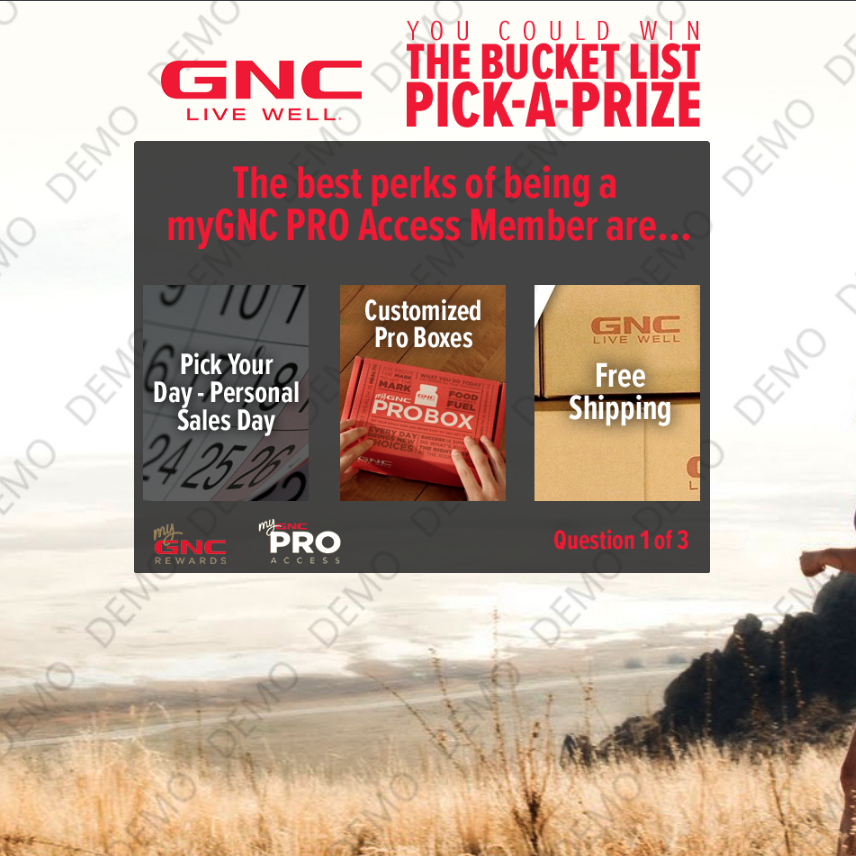
GNC Pick-A-Prize
Description:

This quiz mechanic offers the answer options across the center of the game space, side by side. The question is on top of answer choices. The players' answers are recorded and stored.

Sizing:
  • Game space: 640x480
  • Answer images: 182x240
Q&A options (# questions & # answers):
  • Customizable in Mechanic Configuration Editor
Transition Options:
  • Auto: Once an answer is pressed, automatically goes to the next question.
  • Timer: Players have a limited number of seconds to answer each question (defined in Mechanic Configuration Editor)
  • Confirm: Players click a button once an answer is selected.
Completion Control Option:

‘Correct’ answer is ‘a’ image and is randomized every game as the score is tracked and shown on screen.

  • Multi-Exit: Exit level based on number of correct answers.

To create a campaign of this type:
Login to the CataBoom admin panel, and choose "Create New Campaign", then:
  • Enter the name and URL slug that you wish to use for your new camapaign"
  • Game Category = Quiz
  • Select Game = Flex Quiz: Side by Side
Description:

This quiz mechanic offers the answer options across the center of the game space, side by side. The question is on top of answer choices. The players' answers are recorded and stored.

Sizing:
  • Game space: 640x480
  • Answer images: 182x240
Q&A options (# questions & # answers):
  • Customizable in Mechanic Configuration Editor
Transition Options:
  • Auto: Once an answer is pressed, automatically goes to the next question.
  • Timer: Players have a limited number of seconds to answer each question (defined in Mechanic Configuration Editor)
  • Confirm: Players click a button once an answer is selected.
Completion Control Option:

‘Correct’ answer is ‘a’ image and is randomized every game as the score is tracked and shown on screen.

  • Multi-Exit: Exit level based on number of correct answers.

To create a campaign of this type:
Login to the CataBoom admin panel, and choose "Create New Campaign", then:
  • Enter the name and URL slug that you wish to use for your new camapaign"
  • Game Category = Quiz
  • Select Game = Flex Quiz: Side by Side